
Nels Wadycki
Writes Code, Fiction
-
From Pownce’s home page:
Pownce is brought to you by a bunch of geeks who were frustrated trying to send stuff from one cube to another.
Funny… when my wife wants to send me something across the room to print for her (printer isn’t networked), she just uses e-mail. Gmail is pretty good at letting her attach files and send them.
I send links and event “invites” to friends for things like playing basketball or video games on the weekends. Sometimes I invite people to movies. I use e-mail for that, too.
Realistically (I guess), a lot of it comes down to what your friends are like. I’ve had a hard enough time getting my friends to join Flickr so I can share non-public-type photos with them. I don’t want to try to get them on another social site (especially not one that only “allows” me to send messages, files, and links to them). So, I guess Pownce is really meant for those early-adopter types (I’m with them) who have lots of early-adopter type friends (there’s where it falls apart for me). But, even for those early-adopters with lots of early-adopter friends, what does Pownce do that e-mail doesn’t? Can’t you just make an e-mail group with your early-adopter friends and use that to send links, files, and messages to them?
My guess is that part of it is the Twitter-style psychology. If I Twitter something, it takes at most, say, 5 seconds to read it. The character limit makes it that way. If I write an e-mail, it’s probably going to be more than 140 characters. So, it will probably take more than 5 seconds to read. So by posting a message on Twitter (or Pownce), you’re telling the people who receive that message: this is lightweight, won’t take too much of your time (and probably isn’t that important).
Another part – guessing again – is probably the ability to send stuff to a bunch of people really easily. That’s basically saying, though, “I’m not picking people to send this to, so it may or may not apply to you.” If it’s not important enough to type three letters (or less) and use Gmail(or Yahoo or Hotmail)’s address book to pick out people to send it to, how important is it, really? Isn’t that just contributing to information overload?
I know it probably sounds somewhat hypocritical since I’m an information junkie, and I have been known to post stuff to Facebook in the same way that people probably post stuff to Pownce… but recently I’ve become much more conscious regarding the efficiency of handling all that information, as well as who has access to that information. The combo of Twitter, Jaiku, Facebook, and their various privacy controls set me on my current path. To me, Twitter is valuable because it does one thing, and does it well. And since I have fairly few Twitter “followers”, I know who is going to be reading my Twitters, and I can sort of cater to that audience. Jaiku adds value as an aggregator (and a source of “private” Twitter-style messages). Facebook adds value because Twitter and Jaiku both have hooks into it. It also has the advantage of having a bunch of my friends already on it, so I don’t have to re-establish my “social graph.”
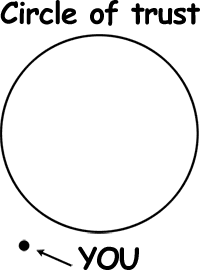
I could use the Pownce application in Facebook to add the same sort of value as Twitter or Jaiku, and maybe even a little more because of the special link formatting and file attachment. But when I consider that value add, I ask myself: what files do I want to post on there?
The one case I can see where Pownce is useful is the events. Kevin Rose put up this invitation to a party and got 87 responses to the post. Of course, the majority of those RSVPed “Wishing I Could Come” or “Not Attending.” And that’s Kevin Rose. How many people are going to have enough friends and/or followers that posting an event is going to have a better response than (once again) sending an e-mail?
-
When I said
yesterdaya month ago that Twitter vs. Jaiku is shaping up to be another VHS vs. Betamax (yeah, I write here a lot… I promise), I was aware that the bigger battle is obviously Bloglines vs. Google Reader. Oh, I mean HD-DVD vs. BluRay. Sorry.Anyway, now that Read/WriteWeb has a post about the war between the two biggest Web RSS Readers, I’ll throw in my 2 pennies.
Bloglines = still better.
I’ll admit, I used Reader for a while, and got used to it, and probably would have stayed with it if Bloglines hadn’t launched their new beta. For me, it’s basically the same as the old Bloglines with two extra keyboard shortcuts. That is to say, I use it in essentially the same way as I did before, but instead of going feed-by-feed using the “s” key, I now use the “f” key to go from folder-to-folder. It’s only a slight increase in efficiency over the old Bloglines, but it’s definitely better than the Shift+J -> Shift+O required for Google’s Reader.
The other big improvement (aka: new keyboard shortcut #2) for Bloglines comes with the addition of the “o” key. This is new for them, but the same as Reader’s “v” key. So, it’s not a win for Bloglines, but it does make the Beta better than the original, and helps to push the whole-of-the-parts ahead of Google.
There’s a bunch of other new features in the beta Bloglines, but after trying some out (like the 3-pane view), I chose to stick with the basic default set up (which, as I said, is pretty much the same as before). And still better.
-
I don’t really want to enjoy watching 3 hours of TV on a given not. It seems like it should be a waste of time. But, with Chuck, Heroes, and Journeyman, NBC really hit my weaknesses from every angle.
Chuck: Funny, smart, spy show.
Heroes: “Real”/”normal” people with X-men type superpowers.
Journeyman: Time travel.I like that they’re all one word. I’m sure that decision was made by the marketing department and not by the shows creators.
Maybe it’s just because they’re new and still novel, but I actually liked Chuck and Journeyman more than Heroes. Of course, there’s a lot more depth to Heroes and I probably need to watch it again since I was multitasking (aka surfing the web) more during that one than I did during the other two. Heroes also has obviously planned out a plot based on the assumption that it will stay on the air. The other two seemed more like they made a show that would be easy to digest. Not sure where they’re going to go from the premieres, but with the single-episode-with-a-little-overarching-plot format, I guess they have more room to kind of stretch things out. That, and NBC probably wanted shows that people could keep up with more easily if they miss a few episodes here and there.
-
For as much as I ranted about Day Break being cancelled, you would think it wouldn’t have taken me 6 months to findout that the remaining episodes of season 1 are online.
I actually found this out by searching for it on NetFlix, reading someone’s review who said they watched the rest of the season online, and then searching Google for “watch day break online”. If you’re looking for the link, go to ABC’s Full Episode Player. I had to install a new plug-in/add-on for Firefox, but it will definitely be worth it when I get to watch the rest of Day Break.
Congrats to ABC on doing the right thing. It’s interesting to see their canceled shows now On the Line, so to speak, as “Online Exclusives.” There’s even one called “Voicemail” that is an “Online Original.” That actually makes me more interested in watching it.
-
For those of you just joining me, about a month ago I was trying to figure out what to do about the fragmentation created by microblogging platforms like Twitter, Jaiku, and Pownce vs. traditional blogging platforms like Blogger, WordPress, etc. I was not the only one pondering this concept, and what to do about all the feeds that can be generated from participation in Web 2.0 type social web applications.

Well, I think Jaiku has solved my problem. Jaiku seems like another Twitter at first, but looking further, you can add feeds from other sources and have items in those feeds show up in your Jaiku stream. So, for example, I’ve got my Flickr stream (public photos, of course), my Recently Played Tracks from last.fm, the posts from this blog, as well as those from my “aspiring novelist” blog, and (recently) my Twitters!
By making my Twitters public, I can add them to my Jaiku stream, but leave my Jaiku stream for friends only, and then use Jaiku for my private microblog posts. Did you follow that? Yeah, I didn’t really either. I’m not so sure it’s best way to work things, but I’m going to try it for a while.
Of course, what I feel is the strongest feature of Jaiku (which stems from it’s aggregation of feeds) is the ability to unsubscribe from other users feeds on an individual basis. In my previous post, I said:
the question still remains, will people want to see somewhat random photos just appearing in my feed whenever I happen to upload them, mixed in with the .plan posts as well as the more-than-one-paragraph posts? Or is it just better to have 3 separate feeds for photos, twitters, and posts, and let people subscribe to whatever they choose?
That question has been answered by Jaiku! Now, my friends can check out my Jaiku feed, and there’s everything you could ever want (and probably more). And if it’s too much too handle, you can go in and individually unsubscribe from the feeds of mine that don’t interest you.
Yes, at a high level, it’s basically an RSS reader filtered through a social network. But it also allows you to post to the feed from the application, as well as comment on other users posts (which is nice for platforms that you’d otherwise have to be a member of in order to comment). The commenting is also something that I feel is improved over Twitter, since there’s likely to be less of the @somebody kind of posting taking place.
Additionally, Jaiku has a pretty kick ass looking mobile application. I don’t have a phone that can run it yet, and I haven’t tried the plain vanilla Jaiku mobile stuff yet, so I’ll refrain from any comment beyond “it’s pretty.”
Speaking of pretty, my final note about Jaiku, you can add little icons to your posts! And if you post from Facebook (for some reason) there’s more than twice as many little icons to choose from!
There you have it. My thoughts on Jaiku. I think I could talk more about the app and it’s implications and uses and Things Of That Nature, but this post is long enough for now.
-
Unless I’m not a Power User. But I do have 293 feeds to which I’m subscribed. I would think that’s enough to put me in the Power User category.
Maybe I just read my feeds wrong or something. Is there a disconnect between the way I like to go through my feeds and a way that would be more “efficient”? Well, technically yes. More efficient would probably involve me using the so-called River of News view, and just going through all the feeds in the order of either newest or oldest posts. I don’t really like doing that. There are feeds that are of a higher priority to me, and I like to read those before I get to other things that can wait. And I don’t like the idea of “starring” things and coming back to them. That’s never worked for me. I tried it with Gmail, and I end up just forgetting about/ignoring things.
Speaking of newest vs. oldest, am I missing something here too? I like to read the news in the order it’s printed. If there are rumors about KG being traded, I’d at least like to see those before I see the news of an actual trade. I like having that history. It also helps for reading blogs that like to refer to their earlier posts. If I’ve seen the earlier post, then I know what they’re referring to, and that would seem to be more “efficient” than having to open up the old post, scan it, and then go back to the original post, only to come across the old post later in the feed.
I can see how Newest First makes sense for bloggers who need to be on the latest tip (mostly tech and entertainment bloggers, no?) so they can write about a news item as soon as possible after it’s published. So, maybe those guys (and/or gals) are the real Power Users, and I’m just a sucker with 293 feeds.
All that aside, if Google Reader would add one little thing, it would be the best and fastest RSS Reader. I already prefer their method of opening news items* to Bloglines method**. But if you don’t want River of News, you have to use Shift+J, and then Shift+O to get to the next folder of feeds. In Bloglines, you just press “s” to get to the next subscription in the folder, and if the folder is empty it goes to the next one. Can you see where this is going?
(* Pressing “v” to open in a new background tab – I think that probably only works for Firefox, though)
(** Middle-click to open in a new background tab)If Reader would just go to the next folder when the current one is empty, everything would be SWELL. Can’t I just “j” my way through all of my feeds? How hard would that be? It would certainly be A LOT easier for me. It’s been suggested via the Google Reader Google Group more than once.

