Since 2013, when I read about Ramit’s Year of Taking Control theme, I decided I would come up with themes for my years. I actually stole his for the first year just to bootstrap it, but after spending a year with the concept I was able to come up with my own themes that were more relevant to me. (Such high-minded things as: The Year of Finishing and The Year of Awareness.) Sometimes, I have to get into the year a little bit to figure out what the theme will actually be (I try to decide before it starts, but usually something else will present itself as a more natural path to follow).
As a very concrete example, I thought this year was going to be the Year of Productive Procrastination or the Year of Putting the Time to Work (that is: the time saved by being efficient and organized being used in the most productive way possible instead of just more time to check Facebook). Both of those would have been great. I read an article on overcoming productivity addiction on the Todoist blog and it seemed to fit with either of those themes. Instead of reading more about productivity, I would instead use my system of lists and calendars to make sure that even when I wasn’t working on my highest priority items (like writing the next book in the series), I would still be working on something productive to help me reach one of my numerous other goals. I would finally leverage my system in a more conscious way; being aware in every moment of the time I was saving, the little moments here and there, where putting things on a list or on my calendar, would help me build up a reserve of extra time that I could spend on doing what I really wanted. (If only time could actually be garbage collected like that into more contiguous blocks) I even went so far as to think: Hey, maybe instead of always doing something that is obvious, like opening and sorting them mail, or cleaning the dishes in the sink, maybe I’ll let those things slide until they really need to get done so I can put that time to use in the present instead of trying to save it for some nebulous future.
Then I read an article on the Todoist blog about strategies for overcoming procrastination. Initially, it sounded either like something that would fit perfectly with my theme, or something that I’d read a hundred times before and would be able to skim in a few minutes. It turned out to be mostly the latter, but also contained the seed of something else entirely. The strategies for overcoming procrastination were actually very good (please read them when you’re done procrastinating by reading this post), but nothing I hadn’t seen before. (Good to remind yourself periodically though)
But the breakthrough actually came in the background part of the post, where the author – as per usual – quotes some study that someone has done in order to back up the stuff they’re about to tell you. This one went like this:
Research shows that our brains are actually wired to think about about our present and future selves as two separate people. That’s why we’re able to prioritize our present mood at the expense of our future well-being even though it’s an irrational choice in the long-term.
A study run by UCLA psychologist Hal Herschel and a team at Stanford University found that participants actually engaged different areas of the brain when they thought about their present selves versus their future selves. In fact, when people were told to think about themselves in ten years, their brain patterns closely resembled those observed when they were asked to think about celebrities they didn’t know.
This separation of present and future self encourages us to make different decisions about ourselves now and in the future. For instance, one study showed people asked to tutor other students would offer to do so less in the present, but would offer more of their time in the future.
To sum up the research, we procrastinate because our brains are wired to care more about our present comfort than our future happiness.
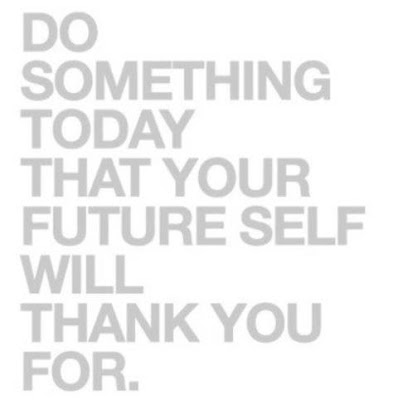
So “Do something today that your future self will thank you for” is not just a good saying for a meme or an inspirational poster. It’s a legitimate scientific concept.
You think that your future self is someone else.
So from the point of that realization forward, this has been the Year of the Future Self.
Evidence of this can be seen if you look at the dates of the blog posts that I refer to above. They’re from February and March. I started this post in April and it’s been 2 months. Because there were things that were more important for me to get done for my future self. (No offense to anyone who reads this blog, but I don’t think anyone is sitting around anxiously waiting for the next bi-monthly installment of my random thoughts)
Thinking more about my future self has already helped me overcome a lot of procrastination. It actually kind of forces you to do a lot of things that you would see listed in those articles about overcoming procrastination, but I like the change in mindset that comes with it. Eat That Frog!
What is the one thing I can do right now that my future self is going to appreciate the most?
For me, and especially for my writing, I can ask myself, “How does my future self feel when he comes home from work and his writing for the day is already done?” That is a question I can answer because I know how my past self felt when that happened and it makes it much easier to imagine how my future self will feel. It draws him closer to me, makes him less of a stranger and more like someone who is almost me. And when that happens, I imagine the feeling my future self will have (or the opposite feeling he’ll have when he has to come home to a 0 word head start), and it turns it into something more about my present comfort than my future happiness.

So really, I think they key is not just to see that motivational quote on someone’s Instagram and go for a run or do a workout. It’s not eating the frog because that’s what a book tells you is the key to overcoming procrastination.
It’s about drawing your future self back into your present self. So he or she doesn’t feel like a celebrity you don’t really know. Think about how you’ve felt when you’ve procrastinated or when you haven’t. Recognize that is how your future self is going to feel.
If I think about how I felt last year when I was falling behind in my writing goals, there was stress. I know how that felt. It’s concrete. I don’t have to imagine it like it’s a future scenario. I know that if it happens again (which it is), my future self will feel that same stress. (It’s totally irrational stress since it’s not like writing is anything close to a full time job that puts food on the table or a roof over my head, but that’s a whole different therapy session blog post)
When I imagine my future self feeling that concrete emotion, it makes present me stressed. Not as stressed as I certainly would be in the future. But enough to make me think: “It’s worth suffering for another thirty minutes to crank out two hundred more words so that my future self doesn’t have to write those extra two hundred words on top of everything else I’m going to ask him to do.”


 Nels Wadycki